Home / Templates / Sinking Funds Tracker
2026 edition · Google Sheets template
Sinking Funds Tracker
12 named sinking funds with an automatic monthly target and a funding calendar, so annual bills stop surprising you.
Sinking Funds Tracker is a $5 one-time .xlsx workbook with 4 tabs. Manual data entry — no bank sync; you log what you've saved yourself.
Excel · Google Sheets · LibreOffice · one-time $5
Instant download. If the file is broken, we replace it.
The actual file
Browse it before you buy
Every screenshot below is the real Sinking Funds Tracker workbook — real headers, real sample numbers, real formulas. Click a tab.
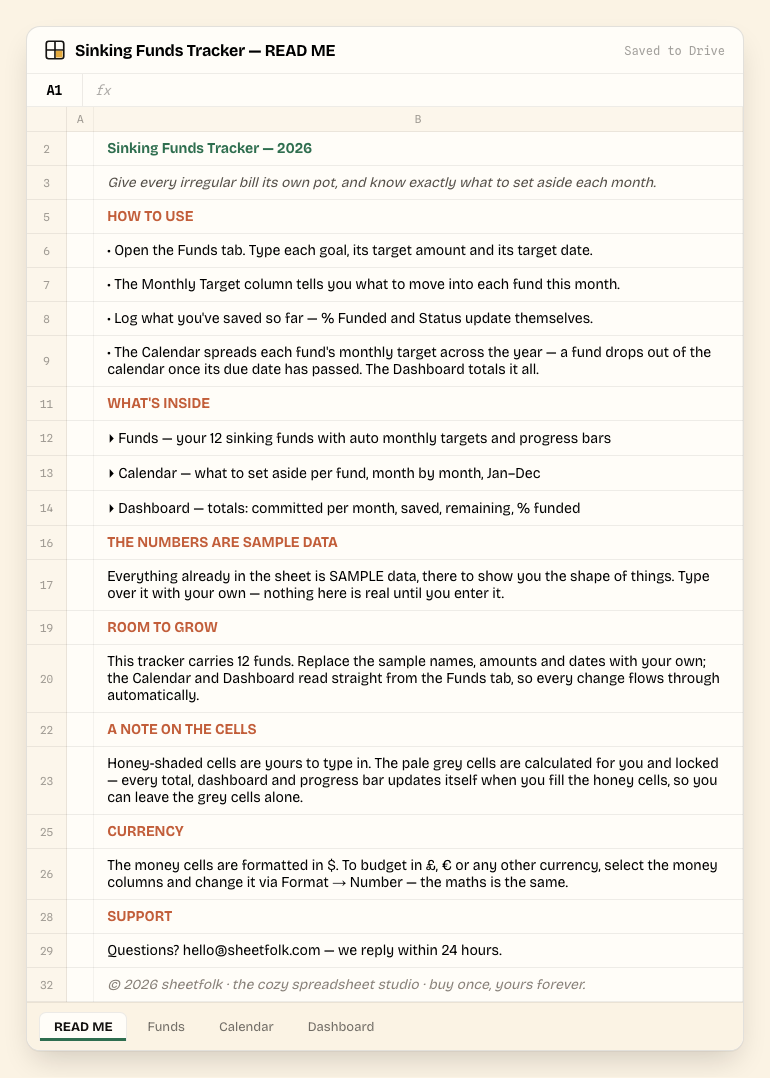
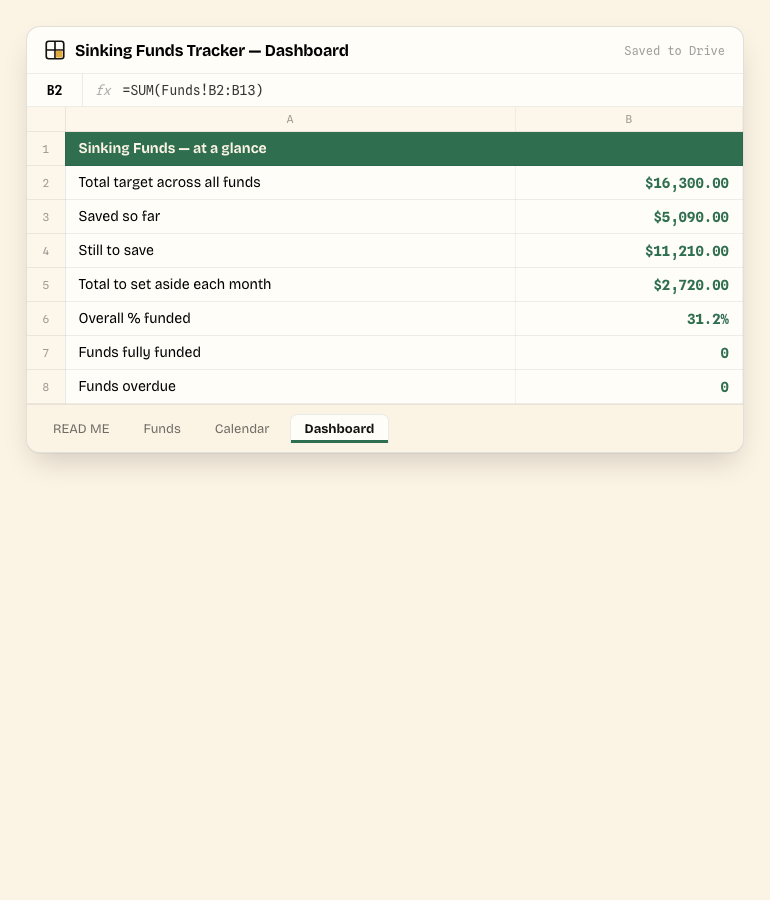
Click a tab — this is the real file, not a mockup. 4 tabs total.
Tab by tab
What's inside
3 tabs shown below, matched to the real column headers in the file.
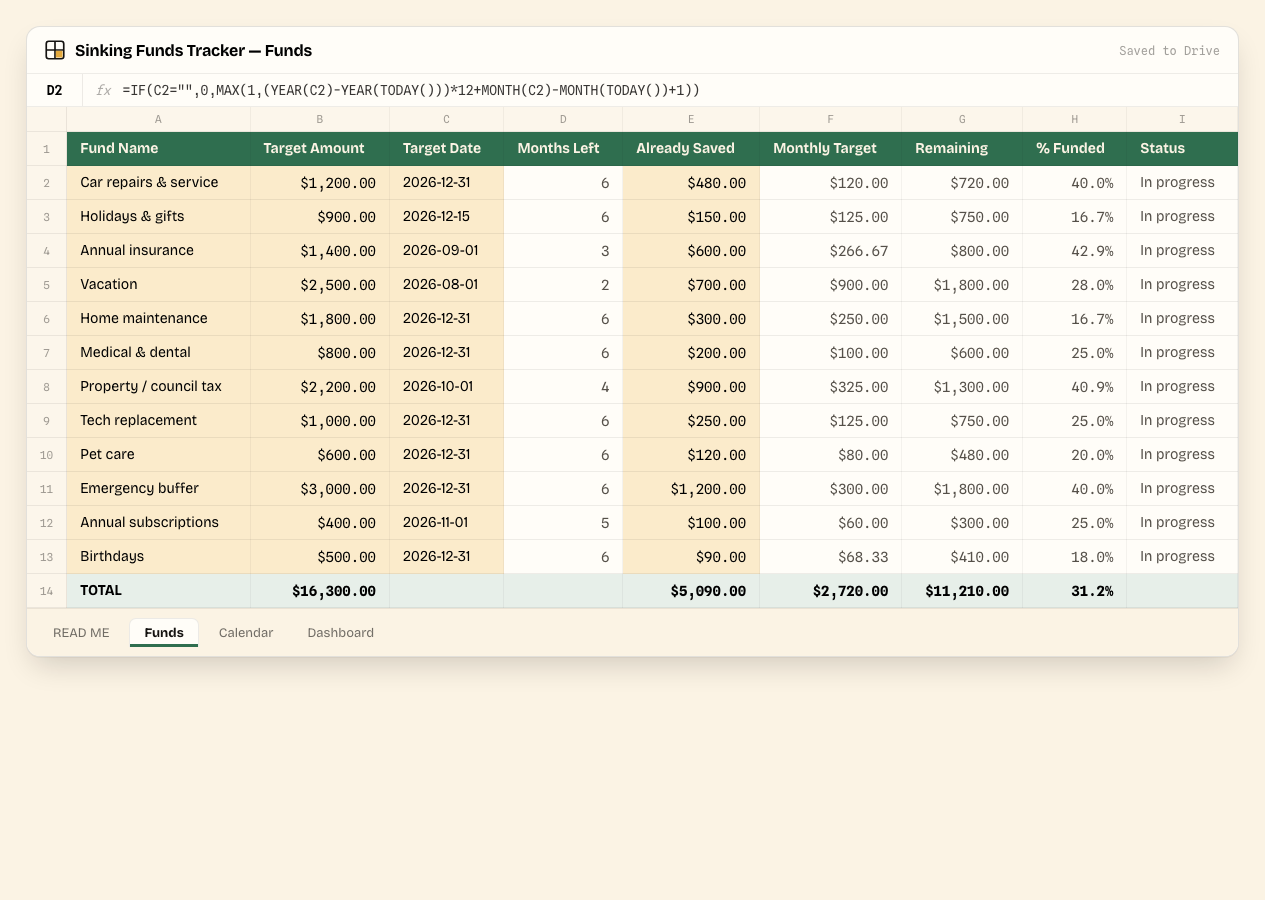
Funds
Type each fund's name, target amount and target date. Months Left, Monthly Target, Remaining, % Funded and Status all calculate themselves.
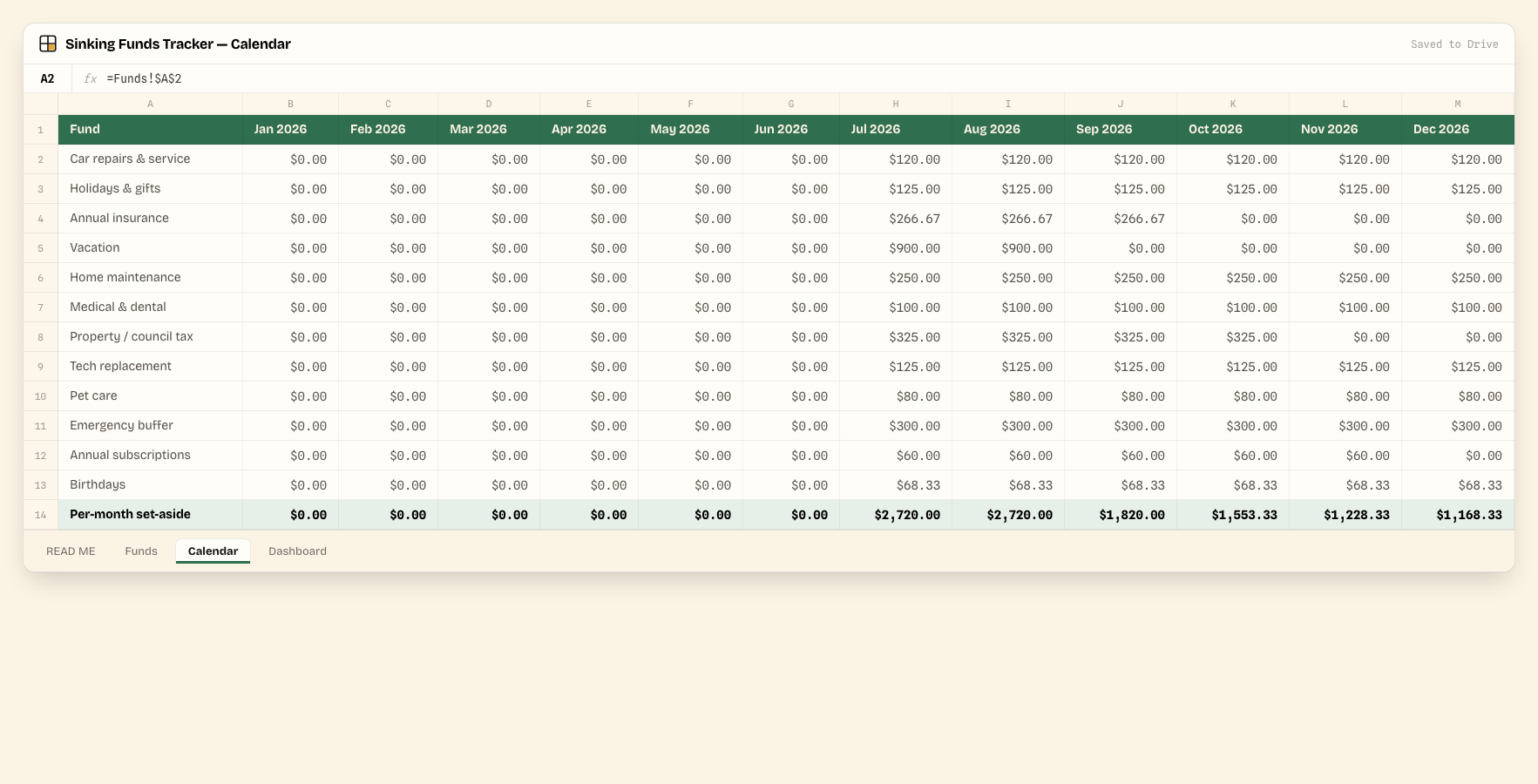
Calendar
Spreads each fund's monthly target across the year, Jan–Dec — a fund drops out of the calendar once its target date has passed.
Dashboard
Rolls every fund up into one view: total target, saved so far, still to save, total monthly commitment, overall % funded, and counts of funds fully funded or overdue.
Before you type a thing
It ships filled in — with sample data
Every tab you saw above already has worked example numbers in it, so you can see how Sinking Funds Tracker behaves before you touch it. Study it, then overwrite it — nothing is "real" until you replace the samples with your own numbers.
Honey cells are yours
Any cell shaded honey is an input — type over the sample value with your own. These are unlocked and unprotected.
Grey cells calculate themselves
Pale grey cells hold formulas and are locked. Leave them alone — totals, dashboards and progress bars update automatically as you fill in the honey cells.
Delivery & format
How you get it
Pay with Stripe, land instantly on a download page with your .xlsx workbook — plus an email backup of the same link, in case you lose the tab.
Open it your way: double-click for Excel or LibreOffice, or upload to Google Drive and choose Open with → Google Sheets.
Updates to this 2026 edition are emailed to you free — no repurchase, ever.
Set expectations
What this is not
- Manual data entry — no bank sync; you log what you've saved yourself.
- One shared file — sharing and permissions are handled through your own Google Drive, not a built-in login system.
- No native charts — progress shows as an in-cell color scale and data bar, not a chart object.
- Room for 12 funds — the Calendar and Dashboard read from fixed Funds rows, so adding more than 12 means extending those ranges yourself.
- US-dollar formatting by default — changeable for any currency via Format → Number.
Getting started
Set up in 4 steps
Open the Funds tab. Type each goal, its target amount and its target date.
The Monthly Target column tells you what to move into each fund this month.
Log what you've saved so far — % Funded and Status update themselves.
The Calendar spreads each fund's monthly target across the year — a fund drops out of the calendar once its due date has passed. The Dashboard totals it all.
Good to know
Sinking Funds Tracker FAQ
Published · Updated
What format does it come in?
A single .xlsx workbook. It opens natively in Excel and LibreOffice, and in Google Sheets via "Make a copy".
How do I use it in Google Sheets?
Upload the .xlsx to Google Drive, right-click it, choose Open with → Google Sheets, then File → Make a copy to get your own editable version.
Do I get updates?
Yes — every update to the 2026 edition is free. We email the new link when it ships.
What if I need more than 12 funds?
Insert rows into the Funds tab and copy the formulas down — just know the Calendar and Dashboard reference fixed row ranges, so you'll need to extend those too.
Can I use a currency other than USD?
Yes. Select the money columns and change the number format via Format → Number — the formulas don't care what currency symbol is shown.
What's your refund policy?
Instant download. If the file is broken, we replace it.
Keep reading
Related guides
Instant download · No subscription · Free 2026-edition updates