Home / Templates / Side Hustle Income Tracker
2026 edition · Google Sheets template
Side Hustle Income Tracker
Every side gig in one sheet — gross vs net per platform, deductible expenses, and a quarterly tax stash.
Side Hustle Income Tracker is a $8 one-time .xlsx workbook with 5 tabs. Manual data entry — no bank or platform sync; you log each payout yourself.
Excel · Google Sheets · LibreOffice · one-time $8
Instant download. If the file is broken, we replace it. A spreadsheet, not tax advice.
The actual file
Browse it before you buy
Every screenshot below is the real Side Hustle Income Tracker workbook — real headers, real sample numbers, real formulas. Click a tab.
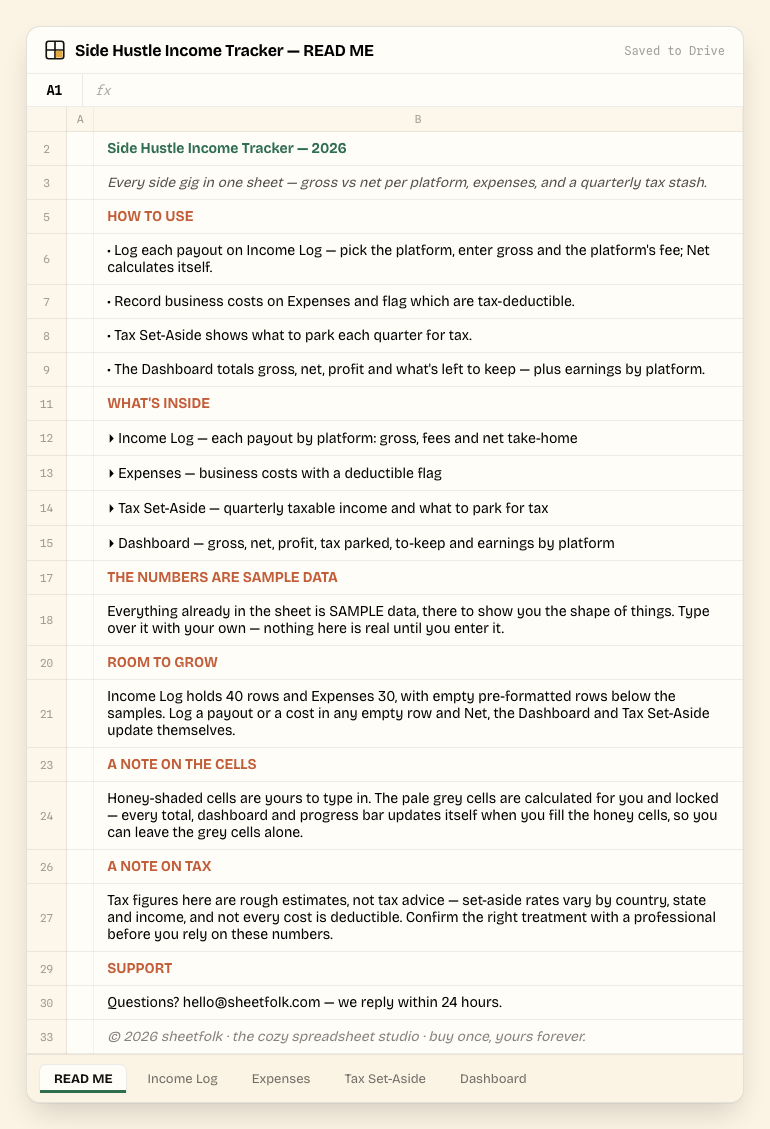
Click a tab — this is the real file, not a mockup. 5 tabs total.
Tab by tab
What's inside
4 tabs shown below, matched to the real column headers in the file.
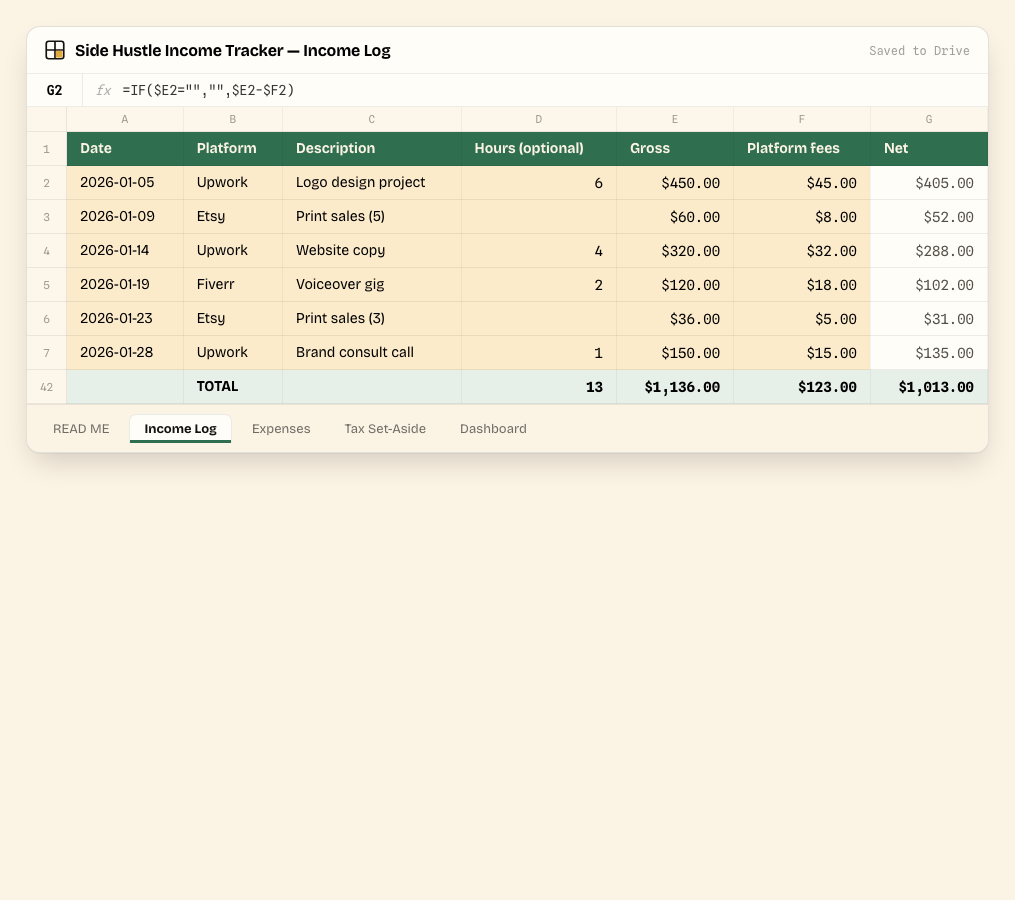
Income Log
Log each payout by platform, with gross and the platform's fee — Net take-home calculates itself.
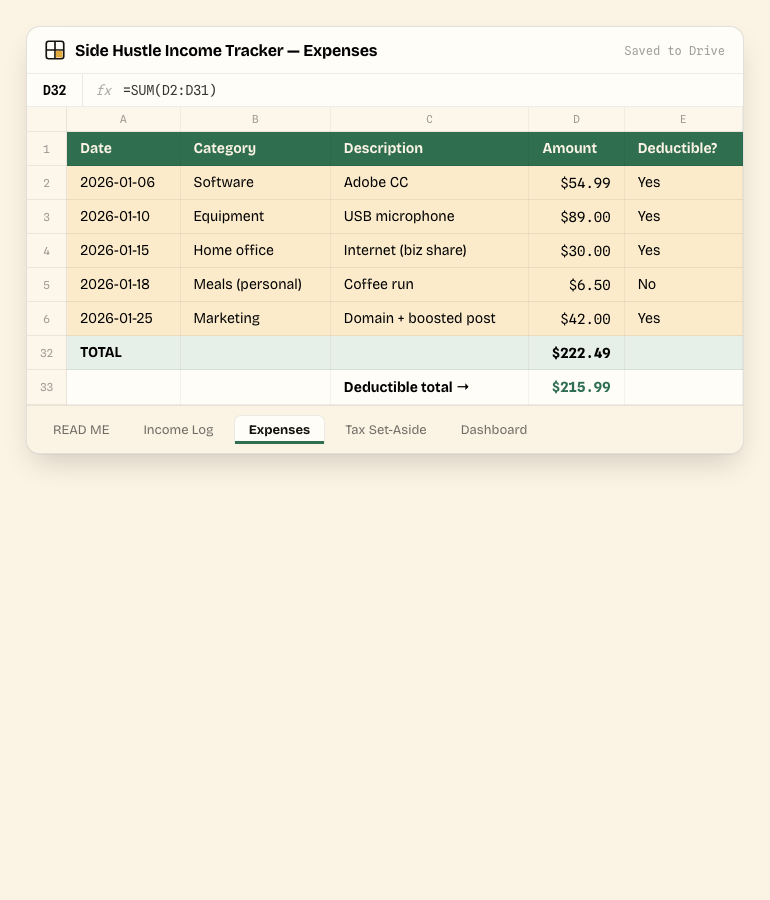
Expenses
Business costs with a Deductible? flag, so your tax-deductible total is always known.
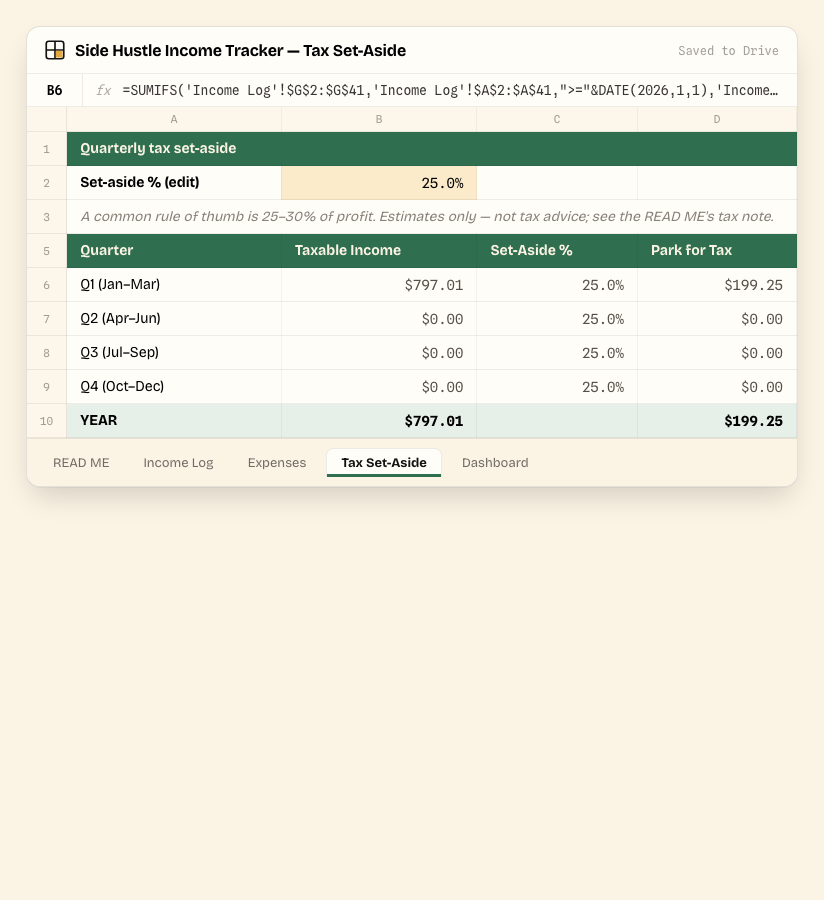
Tax Set-Aside
Pulls taxable income by quarter straight from Income Log and Expenses, and shows what to park at your chosen set-aside rate.
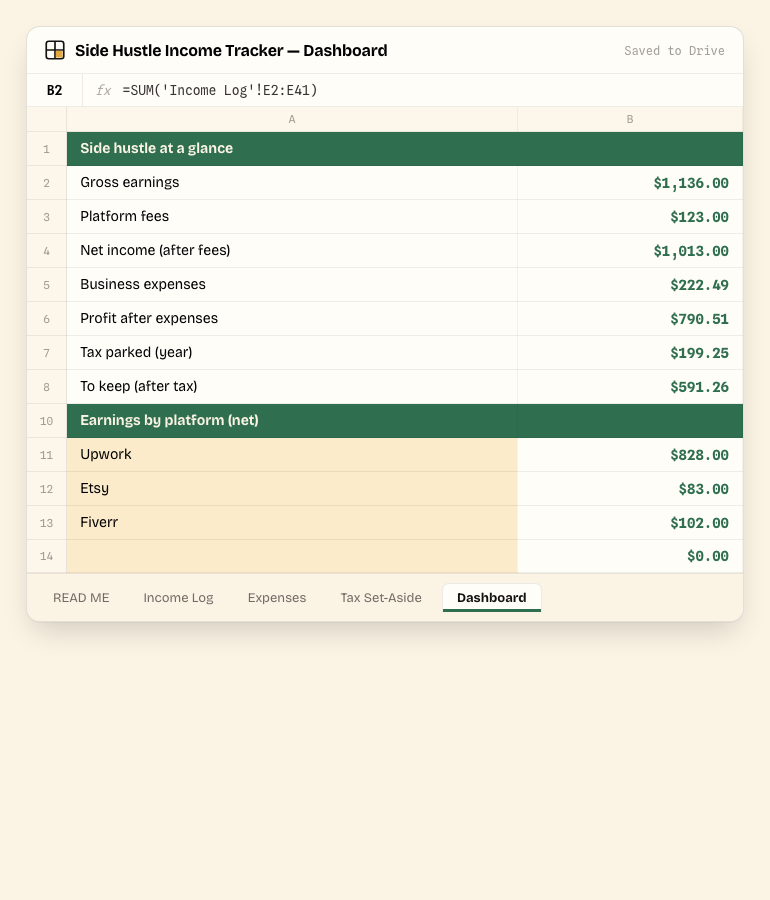
Dashboard
Gross earnings, platform fees, net income, expenses, profit, tax parked, what's left to keep, and a net earnings breakdown by platform.
Before you type a thing
It ships filled in — with sample data
Every tab you saw above already has worked example numbers in it, so you can see how Side Hustle Income Tracker behaves before you touch it. Study it, then overwrite it — nothing is "real" until you replace the samples with your own numbers.
Honey cells are yours
Any cell shaded honey is an input — type over the sample value with your own. These are unlocked and unprotected.
Grey cells calculate themselves
Pale grey cells hold formulas and are locked. Leave them alone — totals, dashboards and progress bars update automatically as you fill in the honey cells.
Delivery & format
How you get it
Pay with Stripe, land instantly on a download page with your .xlsx workbook — plus an email backup of the same link, in case you lose the tab.
Open it your way: double-click for Excel or LibreOffice, or upload to Google Drive and choose Open with → Google Sheets.
Updates to this 2026 edition are emailed to you free — no repurchase, ever.
Set expectations
What this is not
- Manual data entry — no bank or platform sync; you log each payout yourself.
- One shared file — sharing and permissions are handled through your own Google Drive, not a built-in login system.
- No native charts — totals and breakdowns show as bold cells, not chart objects.
- Room for 40 income rows and 30 expense rows — generous for most side hustles; more than that means extending the SUM ranges yourself.
- Tax figures are rough estimates, not tax advice — set-aside rates vary by country, state and income; confirm with a professional.
- US-dollar formatting by default — changeable for any currency via Format → Number.
Getting started
Set up in 4 steps
Log each payout on Income Log — pick the platform, enter gross and the platform's fee; Net calculates itself.
Record business costs on Expenses and flag which are tax-deductible.
Tax Set-Aside shows what to park each quarter for tax.
The Dashboard totals gross, net, profit and what's left to keep — plus earnings by platform.
Good to know
Side Hustle Income Tracker FAQ
Published · Updated
What format does it come in?
A single .xlsx workbook. It opens natively in Excel and LibreOffice, and in Google Sheets via "Make a copy".
How do I use it in Google Sheets?
Upload the .xlsx to Google Drive, right-click it, choose Open with → Google Sheets, then File → Make a copy to get your own editable version.
Is the tax set-aside number accurate?
It's a rough estimate — taxable income by quarter, times a set-aside rate you choose. Rates vary by country, state and total income, so confirm the right number with a tax professional.
Does it support more than one platform?
Yes — Income Log ships with Upwork, Fiverr, Etsy, YouTube and Uber as a starting list (plus Other); edit the dropdown to match your own platforms.
Do I get updates?
Yes — every update to the 2026 edition is free. We email the new link when it ships.
What's your refund policy?
Instant download. If the file is broken, we replace it.
Instant download · No subscription · Free 2026-edition updates